Translation Result
This is a description of the translation result panel.
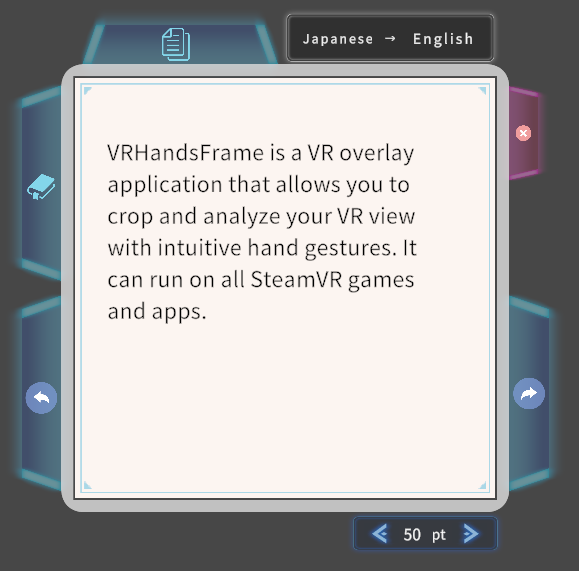
Assigned Actions
The actions assigned to each button (icon) are explained below.
 : Go to the next page
 : Go back to previous page
 : Bookmark the panel
 : Copy the currently displayed text to the clipboard (all pages of text will be copied at once)
 : Close the panel

 : Adjust the font size
 : Switch the displayed text between the recognized language and the translated language (see below)
Switching Between Recognized and Translated Text
The top of the panel shows the names of the recognized language and the translation language, along with the icon. This language display works as a button: each press switches the panel text between the translated text and the recognized original text. The language name of the side currently displayed appears brighter.
This button appears only when the translation succeeds and the translated text differs from the recognized text.
The copy button copies the text of the side currently displayed.